Plain Markdown, on your disk
Every note, task and calendar entry is a Markdown file in a folder you own. Open it in any editor, sync it with anything, take it with you when you leave.
~/vault · .md● Local-first · macOS and Windows
A desktop app for your studies. Lectures, slides and recordings become Markdown notes on your own disk, written with the AI subscription you already have.
v0.1.0 · Apple Silicon · 119 MB · free during beta
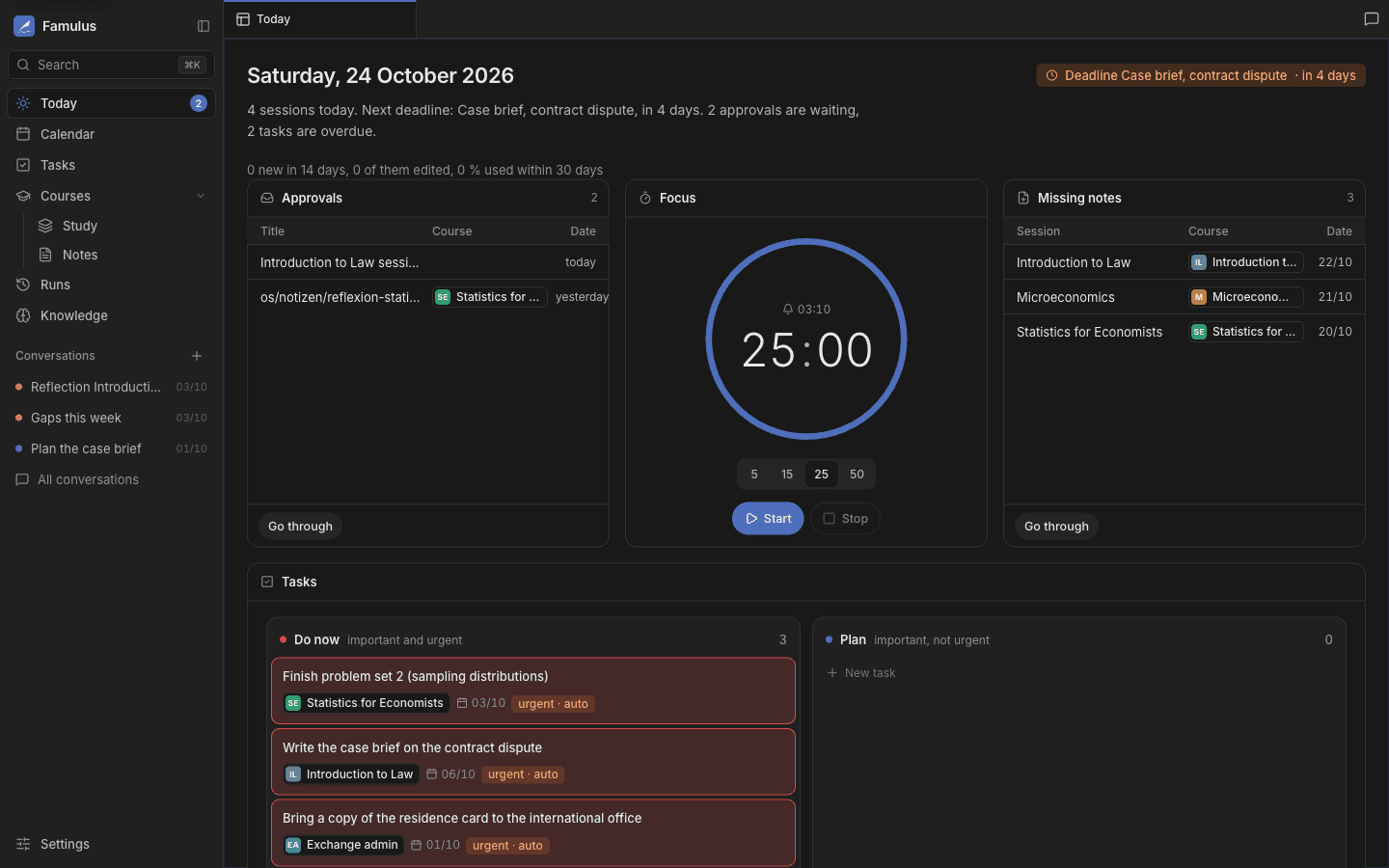
Every note, task and calendar entry is a Markdown file in a folder you own. Open it in any editor, sync it with anything, take it with you when you leave.
~/vault · .mdFamulus records and transcribes your lectures locally, then anchors what was said to the slides. No upload, no meeting bot, no extra subscription.
whisper · on-deviceConnect Claude, ChatGPT or Gemini with the account you already pay for. Famulus does the work on your machine and hands the model only what a task needs.
claude · openai · geminiBeta builds are not yet notarized. On first launch, open System Settings → Privacy & Security → Open Anyway.
Your vault on the phone: review cards on the way, check today’s sessions, record a lecture. We’re building the sync layer now. Leave your address and we write once, when it’s ready.